Cream Player Screenshots
Click any screenshot to inspect it at full desktop resolution.
Ctrl + 1
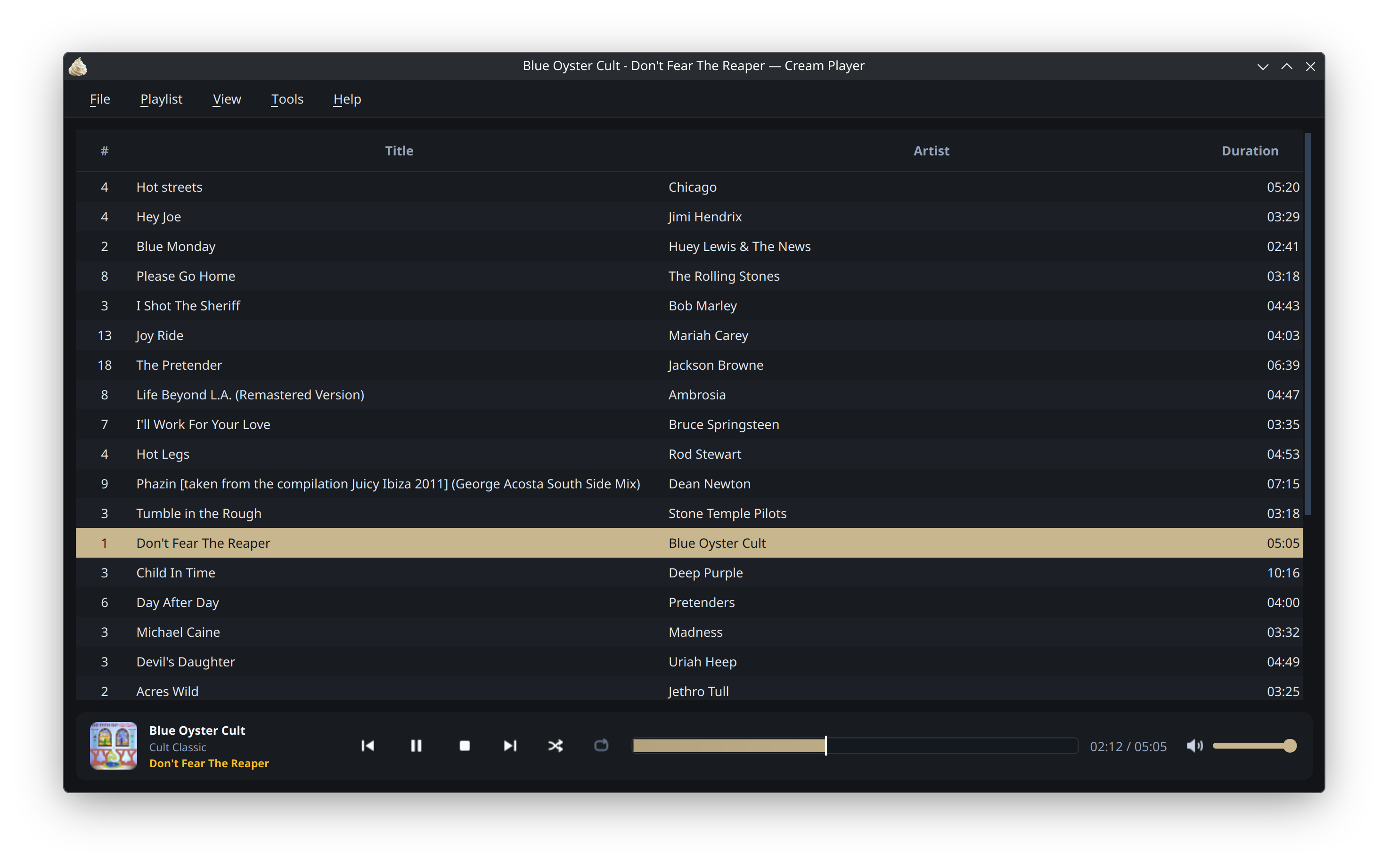
Simple Mode
Distraction-free listening with a clean queue view and an accent-matched track progress bar.
Ctrl + 2
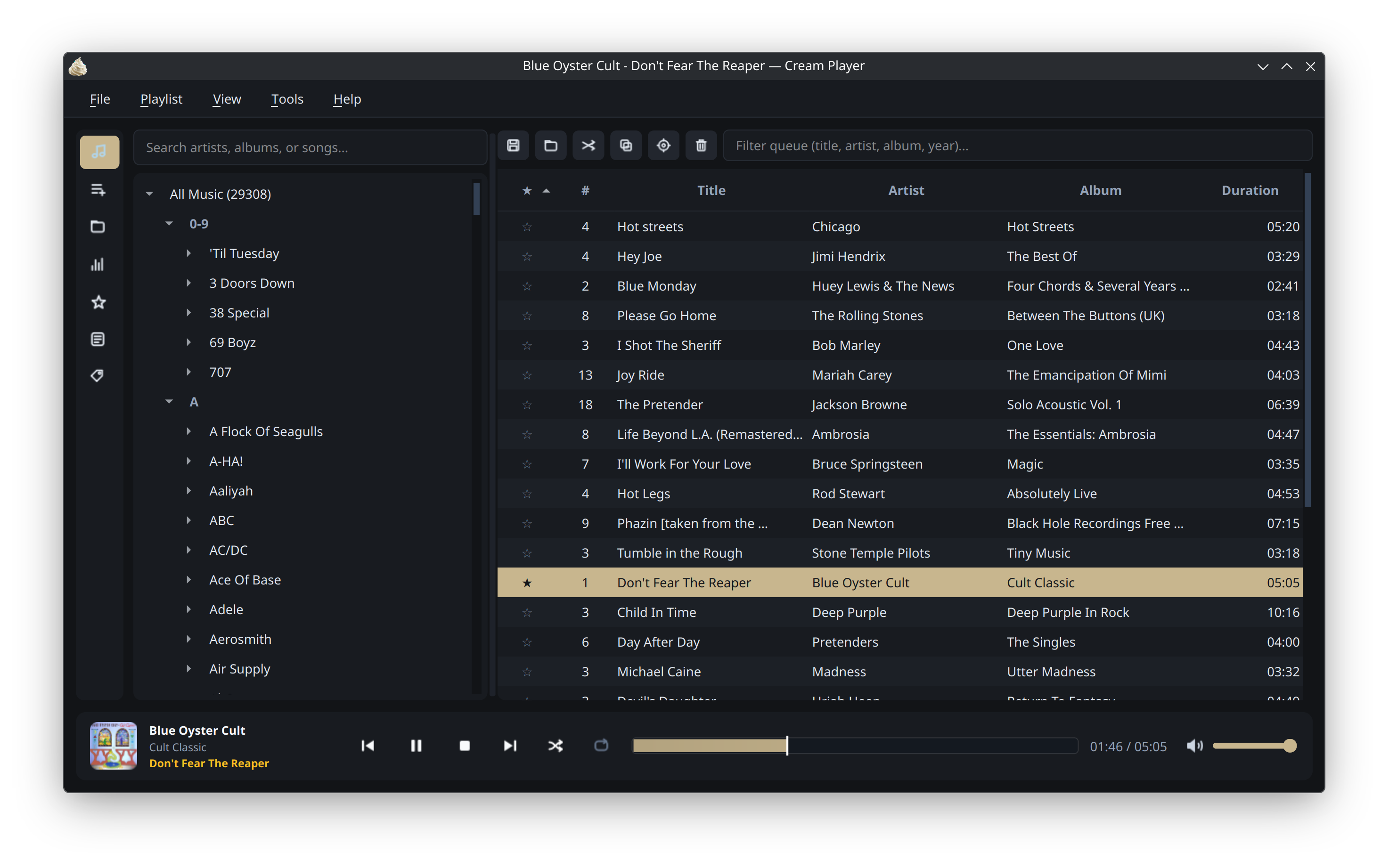
Standard Mode
Balanced everyday library management with the folder/artist browser tree, quick search filter, and core metadata columns.
Ctrl + 3
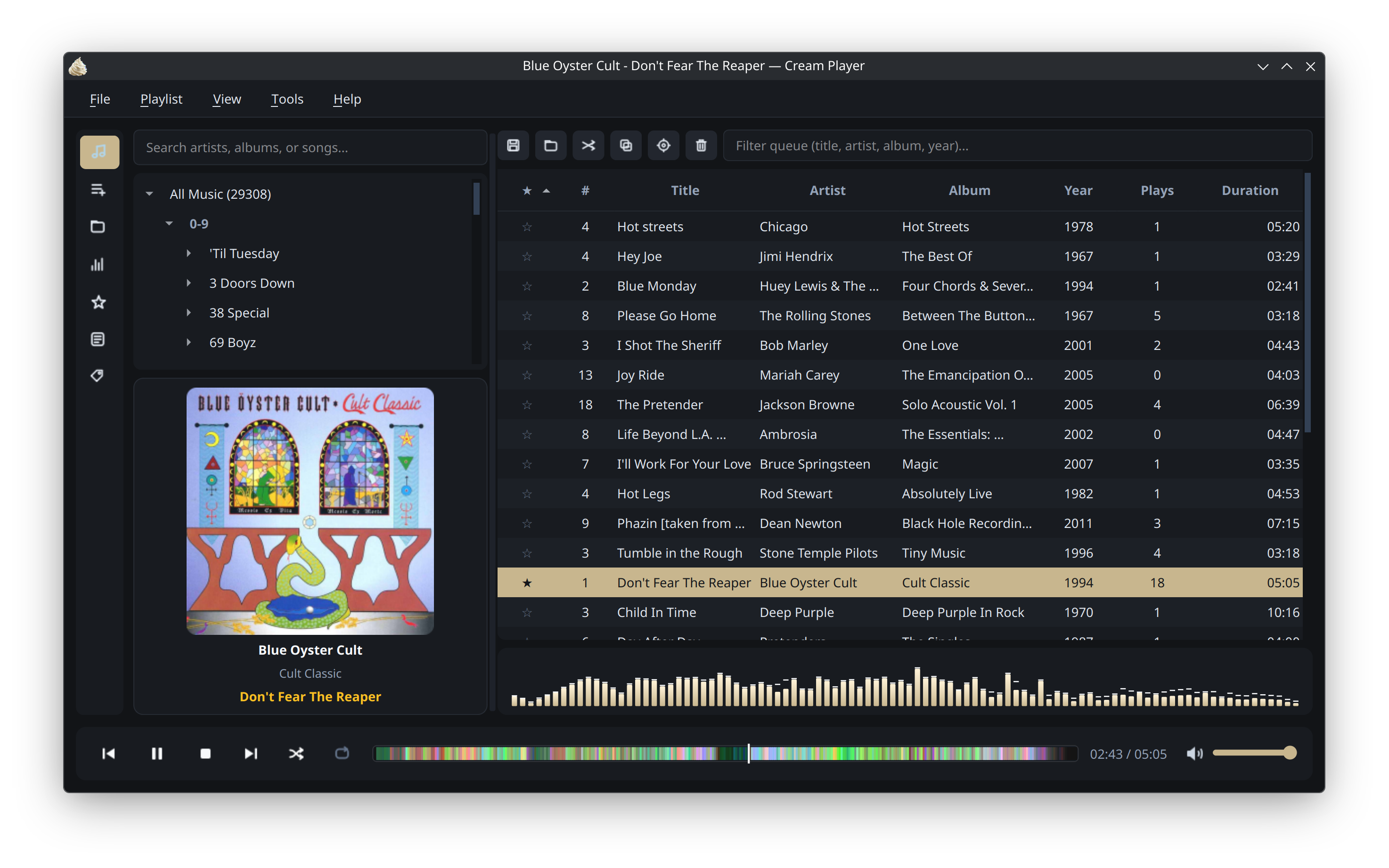
Audiophile Mode
Full studio layout featuring the expanded cover art card, RGB frequency Moodbar waveform scrubbing, live bottom spectrum analyzer, and complete track telemetry.